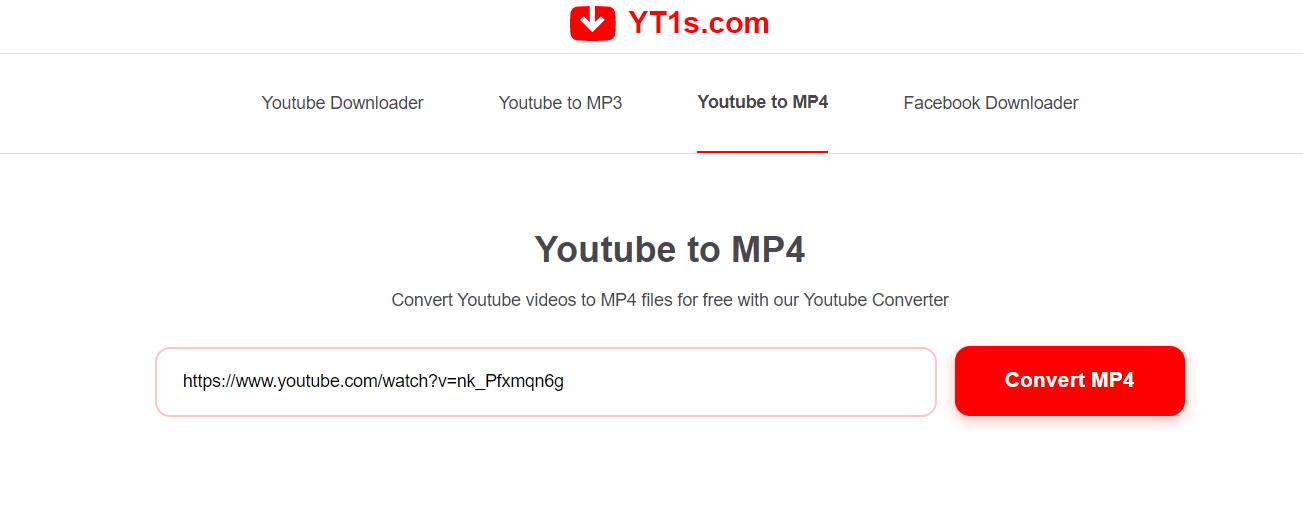
Picture this. You find the perfect workout video. You have a long flight tomorrow with no internet. So you search “YouTube to MP4,” click the first converter site, and paste your link.
Then it starts. A fake download button. A pop-up screaming that your device has a virus. Another tab opens by itself. You just wanted one video, and now you feel like you walked into a digital minefield.
You are not alone. “YouTube to MP4” is one of the most searched phrases online, with hundreds of thousands of people typing it every month. Everyone wants the same simple thing. Save a video, watch it later, no stress.
Here is the part almost nobody tells you. Most of those converter sites are messy, risky, and often break the rules. Some carry real dangers to your device and your data.
But there is good news. You can save videos the safe way, the smart way, and mostly the legal way too. This guide shows you exactly how, without the traps. Let’s clear up the confusion once and for all.
Summary
By the end of this guide, you will understand what “YouTube to MP4” actually means and how these tools really work behind the scenes.
You will learn the truth most converter sites hide. Downloading someone else’s video usually breaks YouTube’s rules, and sometimes copyright law too. Knowing this protects you from account problems and legal trouble.
You will also discover the real safety risks. Many free converter sites hide malware, fake buttons, and scam ads. One wrong click can cost you far more than the video was worth.
Most importantly, you will get the safe methods that actually work. This includes the official YouTube offline feature, how to save your own uploads, and where to find videos you are truly allowed to download.
You will get an honest look at real tools, with clear pros and cons for each. No hype, just what works and what to avoid.
Finally, you will learn one method that respects both your device and other people’s work. This is the piece almost every other article skips. Read on, and you will never fumble with a sketchy converter again.
You can also read about Indian Food Delivery.
What Does YouTube to MP4 Actually Mean?
MP4 is a common video file format. Almost every phone, laptop, and tablet can play it. So “YouTube to MP4” simply means turning a YouTube video into a normal video file you can save.
A converter is a tool that does this. You paste a video link, pick a quality like 1080p or 4K, and it hands you a downloadable file. That is the whole promise. Simple in theory.
Here is the curiosity twist, though. That simple promise hides a messy reality. Behind the scenes, these tools work around YouTube’s system, which is exactly why they break so often and raise so many red flags.
Is Downloading YouTube Videos Even Allowed?
Let’s be honest, because this is the part most sites bury. YouTube’s Terms of Service clearly prohibit using outside tools to download videos from the platform. Reputable sources like TechSmith confirm this plainly.
This matters more than people think. Many users assume “personal use” makes it fine. It usually does not. The rules do not carve out a personal-use exception, and downloading copyrighted work without permission can breach copyright law too.
So what is actually okay? A few clear cases. You own the video and uploaded it yourself. You have written permission from the creator. Or the video uses a Creative Commons license, which means the creator allows reuse under set terms. Outside those, you are stepping over the line.
The Hidden Dangers of Free Converter Sites
Now for the risk almost nobody warns you about. Free converter sites often make money through aggressive ads. Those ads can hide malware, fake download buttons, and deceptive pop-ups.
One cybersecurity point sums it up well. The danger is rarely the video file itself. It is the shady ads, fake buttons, and sneaky installers surrounding it. You click “Download,” and you get a virus instead.
Think of it like a free sample stand run by a pickpocket. The sample might be real, but everything around it is designed to trick you. These sites also collect your data, redirect you to scams, and push fake “update” prompts. That free video can cost you your privacy or a wrecked device.
A Real Warning From the Past
Here is proof this is not just theory. Back in 2017, one of the biggest YouTube conversion sites, youtube-mp3, was shut down after major music companies took legal action. It was once one of the most visited sites of its kind on the entire internet.
Since then, courts and platforms have kept tightening the rules. Popular converter tools like Y2mate have faced blocks and legal pressure in various places. The pattern is clear and repeats often.
This is the bold truth I will say plainly. Chasing free converters is a losing game. They break constantly, they carry real risk, and they keep getting shut down. Building your habit around them is like building a house on sand.
The Safe and Legal Ways to Save Videos
Good news. Real options exist, and they actually work. Let’s walk through the tools worth your trust, with honest pros and cons.
YouTube Premium (official offline feature). This is the cleanest choice. Premium lets you save videos for offline viewing inside the YouTube app, fully authorized. Pros: safe, legal, high quality, no scams. Cons: it costs a monthly fee, and videos stay inside the app rather than becoming a separate MP4 file.
YouTube Studio (for your own uploads). If you created and uploaded the video, you own it. YouTube Studio lets you download your originals directly. Pros: totally legitimate, free, and great for recovering lost files. Cons: it only works for your own content, not anyone else’s.
Screen recording tools like Camtasia or OBS. These record what plays on your screen. For content you have the right to capture, this is a clean workaround. Pros: flexible and safe. Cons: quality depends on your setup, and recording others’ videos still must respect their rights.
VLC Media Player. This popular free player can save certain video streams. Pros: trusted, open source, no shady ads. Cons: the process is clunky, and it should still only be used for content you are allowed to save.
yt-dlp (advanced open-source tool). This is a powerful command-line tool that developers respect. Pros: reliable and free, with no ad traps. Cons: it needs some technical skill, and you must only use it for videos you own or that are licensed for download.
Notice the pattern. Every safe option ties back to one rule. Save what you own or what you are allowed to save.
The Smarter Angle Most Guides Miss
Here is the idea almost no other article mentions. Ask yourself what you truly need. Often, you do not need the whole video at all.
Say you want a lecture only to study the key points. You may just need the text, notes, or a few quotes. Tools that pull a transcript from a link give you searchable text without downloading anything. That sidesteps the rules and the risks completely.
Or maybe you just want to view offline on a trip. In that case, YouTube Premium solves it directly, safely, and legally. No converter needed.
This shift changes everything. Instead of asking “how do I convert this video,” ask “what am I actually trying to do?” When you match the tool to the real goal, the sketchy converter suddenly becomes pointless. That is the mindset that keeps you safe and stress-free.
You can also read about Best Ukulele for Beginners.
What Happens Next With Video Downloading
Let’s look ahead, because this space is changing fast. Platforms keep adding stronger protections, and outside converters keep breaking as a result. Expect that trend to speed up, not slow down.
The likely future is simple. Official offline features are becoming more common, while random converter sites are becoming less reliable and more legally exposed. Creators are also pushing harder to protect their work, and the law is leaning their way.
So the safest bet is to build habits that will still work next year. Lean on official tools, respect creators, and treat any free converter with heavy caution. That approach ages well while the shortcut crowd keeps hitting dead ends.
Conclusion
You came here wanting a simple answer to “YouTube to MP4,” and now you have something better. You understand what these tools do, why they are risky, and how to stay safe.
Remember the key points. Downloading others’ videos usually breaks YouTube’s rules. Free converter sites often hide real dangers. And you always have safer, cleaner options like YouTube Premium, YouTube Studio, and transcript tools.
Above all, match the tool to your real goal. Offline viewing, your own content, or just the key text each has a safe path that does not put your device or your conscience at risk.
Here is your one clear next step. Before you ever touch a converter again, pause and ask what you truly need. Then pick the safe method that fits. Your future self, and your device, will thank you.
So let me ask you this. What is the real reason you want to save that video, and could an official tool get you there faster and safer?